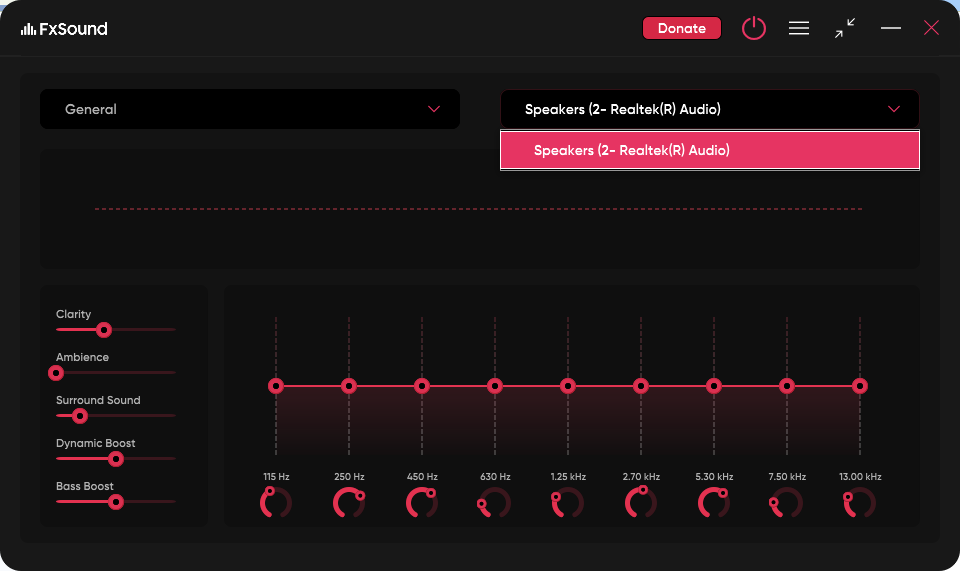
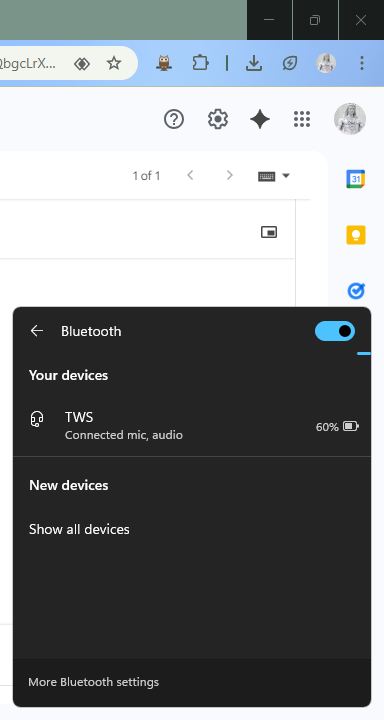
When my Bluetooth headset reconnects to Windows after being in its case or battery depletion, Windows shows it as “Connected”, and audio works system-wide. However, FxSound does not detect the headset unless I fully remove and re-pair the device.
Steps to reproduce:
Pair and connect a Bluetooth headset (e.g., earbuds).
Use FxSound with it normally.
Disconnect the headset (e.g., put in case or battery dies).
Reconnect it — Windows shows “Connected”, and system sound works.
FxSound does NOT show or apply enhancements to the Bluetooth device unless I unpair and re-pair it.
Expected behavior:
FxSound should auto-detect or allow manually selecting the Bluetooth device again after it reconnects.
Tried:
Restarting FxSound (sometimes works).
Manually changing the default audio output in Windows (still not detected by FxSound).
Updating all drivers.
Please fix or provide a workaround that avoids re-pairing every time.
Yes, I tried cycling between other playback devices in FxSound, but the Bluetooth device doesn’t appear in the list at all after reconnecting. So I can’t switch back to it manually.
The only workaround I’ve found is:
I run “Find and fix problems with Bluetooth devices” from Windows Troubleshooter.
After that, FxSound suddenly detects the Bluetooth headset again and it appears in the device list.
This happens consistently with any Bluetooth audio device — it’s not specific to one model.
So it seems FxSound isn’t picking up the reconnected Bluetooth device unless Windows forcibly reinitializes it via the troubleshooter.
I tested with two Bluetooth headphones, soundcore Q20i and Sony WH-CH520, disconnecting and connecting the headphone from Settings > Bluetooth & devices > devices and also from the power button of the headphone. Once the headphone is connected and available in the OS device list it is also available in FxSound.
Can you provide the headphone details which are not getting detected in FxSound.
Normally any audio playback device enumerated on the system should be listed in FxSound. I am not sure why the TWS headphones are not getting detected.
Can you please share the model name of the headphones. I will try to replicate the problem if I can find the same or similar headphones.
Thanks for confirming and replicating the issue on your end. In my case, it happens with AirPods as well as other Bluetooth playback devices — so it doesn’t seem limited to one brand or model.
The behavior is consistent:
Windows shows the device as connected and audio works normally.
FxSound does not list or apply effects until I run the Windows Bluetooth troubleshooter or fully re-pair the device.
Since you were able to reproduce something similar, it looks like the problem affects Bluetooth audio endpoints more generally. Please let me know if you’d like me to run any additional diagnostics or provide logs after reconnection steps — happy to help test further if it assists your debugging.
I tried to replicate the headset detection issue. It does not occur consistently. Occasionally the earbuds device was not getting detected on first time pairing. I removed the device and repaired again. In subsequent removal and repair, the detection is not failing and I could not debug it.
In the next version, I have implemented a feature to re-enumerate the devices when the dropdown is opened. This should help in getting the device added which could not be detected automatically and there will not be a need to exit and relaunch the app.
Thanks for checking again. In my case, the issue happens very consistently with Bluetooth earbuds and AirPods — especially after they disconnect due to case/battery depletion. Even though Windows detects and plays audio immediately after reconnecting, FxSound usually does not pick them up until I run the Bluetooth troubleshooter or re-pair the device.
I also tried manually opening the device-selection dropdown in the current version to see if that triggers a re-scan, but unfortunately the Bluetooth device still does not appear after reconnecting.
So the new feature you mentioned — re-enumerating audio devices when the dropdown is opened — should definitely help, because right now the device simply never shows up in the list after reconnection. Being able to trigger a proper re-scan from the UI would remove the need to relaunch the app or re-pair the headset.
If you’d like me to test this behavior when the new version is available, I’ll be happy to do so. But just to mention — even after trying this manually, the issue still persists for me currently and in the new verison u told so kindly resolve it.
Thanks @vish for providing this information. Normally device addition and removal sends a notification to the application and we update the list. To fix this case where we don’t get the notification, I implemented the device re-enumeration on opening the device dropdown list in v1.2.2.0. In v1.2.4.0 I extended it to clicking and opening the system tray icon menu also. So, you can try the latest beta version 1.2.4.0 and see if the bluetooth device is discovered.