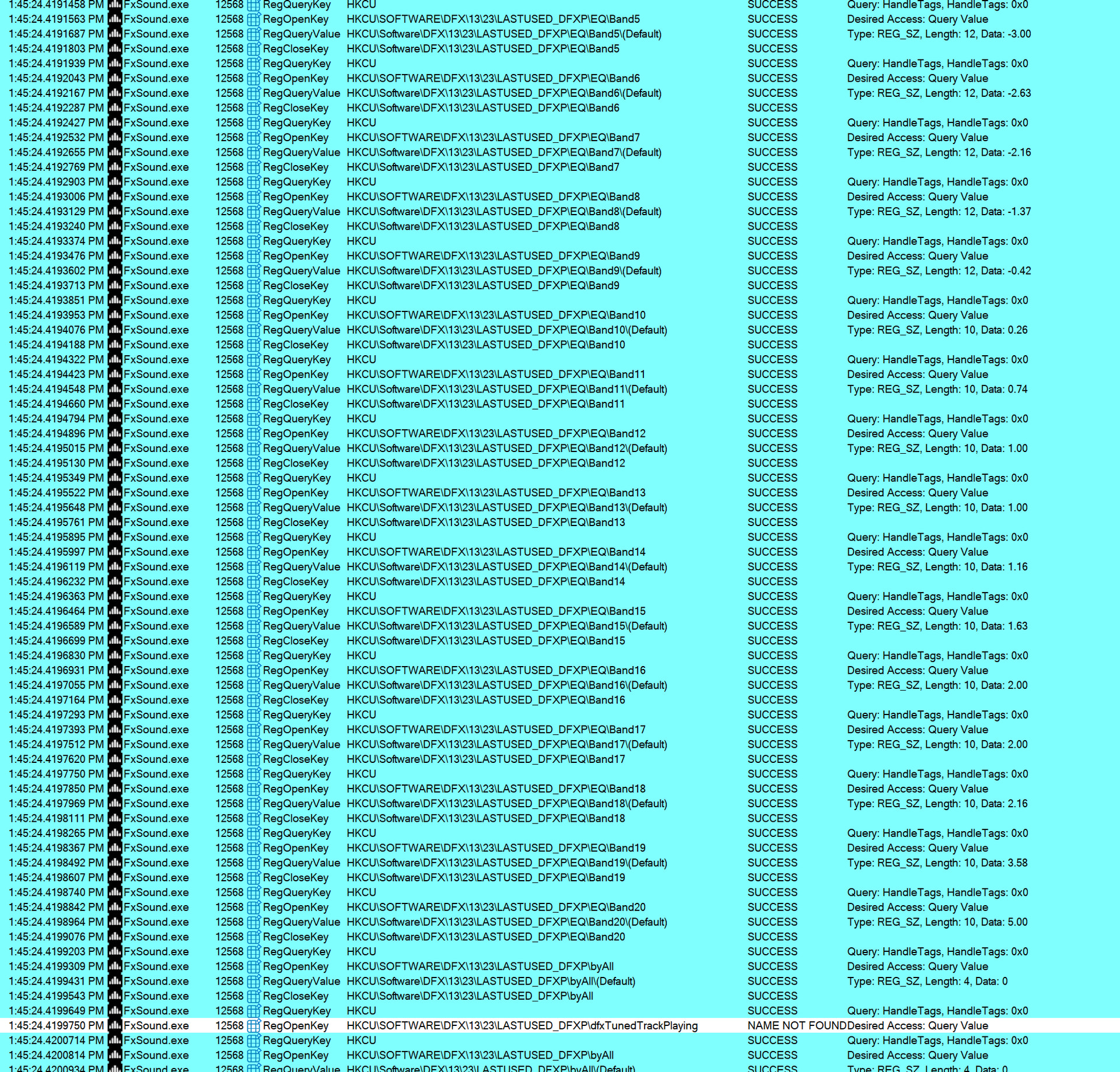
I love FXSound but I also love to keep Win11 running lean and fast.
It seems this App does old school constant scanning reg settings to see if the EQ sliders are changing even if the edit window is not open. With 20 EQ sliders it scans ever one about 100 times a second and ranks high on CPU usage when the total usage is < 10%. Normally my PC listening to music or browsing a webpage is 98% idle unless FX is running, so that when I run a high CPU App, the latency is not affected.
A throttle option would be nice just like MS Antivirus App has a registry setting where you can change 80% default to something like 10 % using powershell.
Set-MpPreference -ScanAvgCPULoadFactor 10
Thanks @sunnysky for finding this critical performance issue caused by registry access.
Most of the registry access is from the legacy DFX code. I will try to optimize and avoid registry access by moving the properties to memory wherever possible.
I have fixed the constant registry scanning the latest beta version 1.2.5.0. Registry is now read only if there is a change in the EQ settings. Please try this version.
V1.24 no longer shows any EQ activity in Procmon yet is > 3~4x worse in average CPU load not even playing any media.
Playing media ranges 5~10% (with 32 ch. no effect)
Rebooted with no audio again. Must be a race with WIndows settings. Manually selected Realtek Speaker for a temp fix.
I see a new audio service that is non-functional. (2-FxSound…) (?)
I’m going to uninstall V1.24 176.62MB and install previous install I used, V1.21 72.041 MB
Now FXsound = 0.6~1% CPU avg. and still no traces in Promon (hmm?? no filtered)